Shorts to Reels on Autopilot: Only Two Things Changed
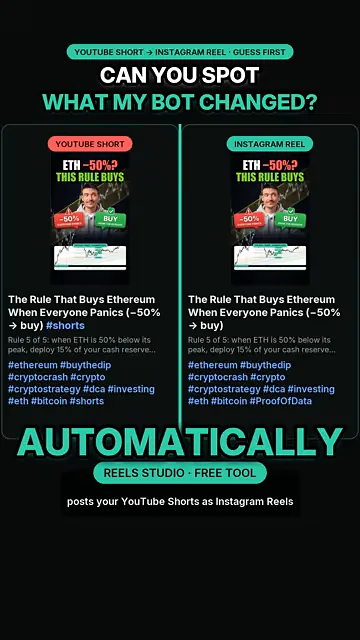
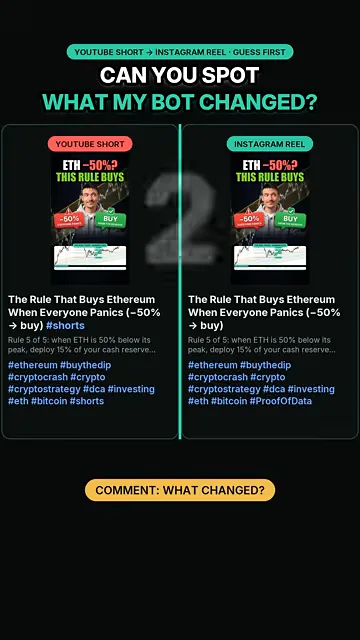
Left: my YouTube Short. Right: the Instagram Reel my bot made from it – same video, same cover, same caption.
· 22 views · YouTube video: Can You Spot What My Reels Autopilot Changed?
Watch on YouTube · Subscribe to @PROOFOFDATA
Quick overview
- The Reel keeps the Short's video, cover and caption; the bot copies them automatically.
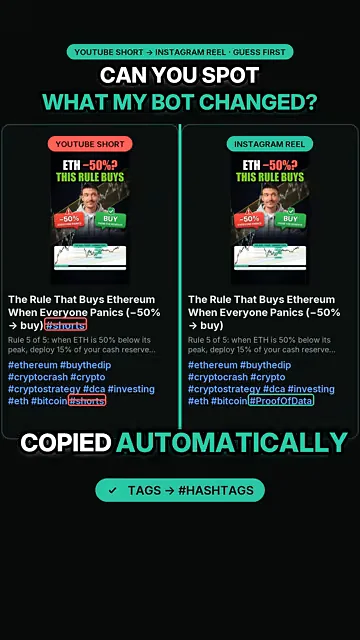
- #shorts is removed because the tag means nothing on Instagram.
- YouTube tags are converted into Instagram hashtags so the Reel still gets discovered.
- 2 Changes the bot made to the caption
- $0 Cost of the tool (open source on GitHub)
What happened
Left side: a YouTube Short. Right side: the Instagram Reel that the free Reels Studio app produced from it with no manual work. The video, cover image and caption are identical, so most viewers miss the difference until the reveal.
Why it matters
Reposting Shorts to Reels by hand means re-uploading, re-typing captions and fixing hashtags every day. The bot does the copy and applies only the two edits that make sense on Instagram: drop #shorts, turn tags into hashtags. Nothing else is touched.
Watch the 30-second spot-the-difference test, then grab the free tool.
FAQ
Is the Shorts to Reels tool free?
Yes. Reels Studio is free and open source on GitHub, and a step-by-step setup guide with every screen is at proofofdata.io/reels.
Watch on YouTube · Subscribe to @PROOFOFDATA
Topics: spot the difference, youtube shorts to instagram reels, instagram reels automation, repost shorts to reels, content repurposing, proof of data