Instagram Grid Cuts Your Reel Cover: A Free Automatic Fix
Your Instagram profile grid shows only the middle of a tall Reel cover, so a headline at the top gets cut off.
· 114 views · YouTube video: Instagram Cuts Reel Covers. My Autopilot Fixes It
Watch on YouTube · Subscribe to @PROOFOFDATA
Quick overview
- The profile grid crops a tall Reel to its middle, so top-placed headlines on covers get cut off.
- The fix scales the whole YouTube thumbnail into the grid tile and fills the sides with a blurred copy.
- Title, hashtags, cover and even the comment carry over from YouTube Shorts to Instagram automatically.
- $0 Cost of Reel Studio, free and open source on GitHub
- 3 Problems hit while building the tool, all covered in the full video
- Every Reel Cover fix runs automatically on each post, no manual cropping
What happened
The creator built Reel Studio to post his YouTube Shorts to Instagram without manual work. It copies the same title, hashtags, cover image and even his comment.
One problem showed up on the profile page. A Reel is vertical, but each grid tile shows only its center. The headline at the top of his cover was cut off.
How the fix works
He measured exactly which area of the Reel the grid tile displays. The tool now fits the entire YouTube thumbnail inside that area and surrounds it with a blurred copy, so nothing is cropped in the grid.
The Reels tab is unaffected and still shows the full-height cover. The adjustment runs on every Reel with no extra steps.
Where to get it
The code is public on GitHub (iiwhocaresii/reels-studio). A free setup guide at proofofdata.io/reels includes a short video and a screenshot of every step. The full YouTube video explains the tool and all three problems hit along the way.
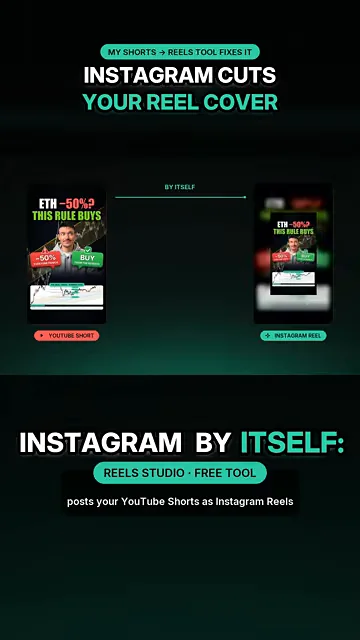
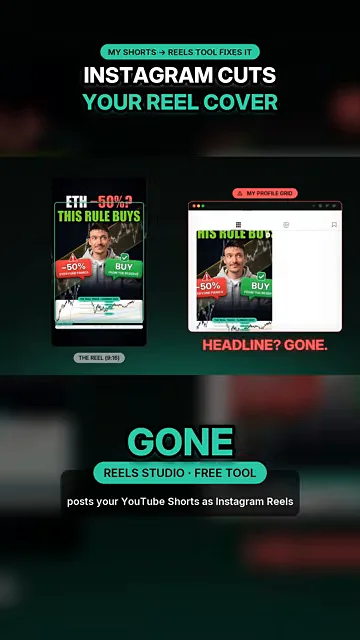
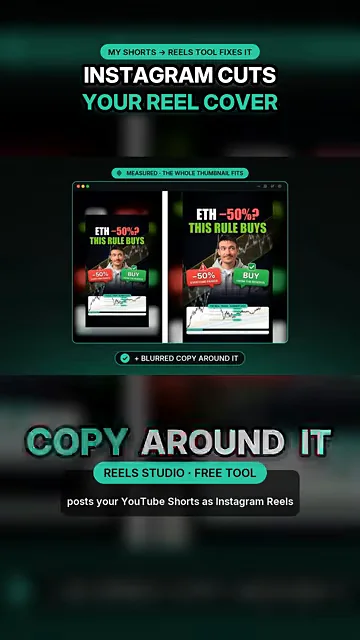
Watch the full video: the tool and all 3 problems I hit building it
FAQ
Why does Instagram cut off the top of my Reel cover?
The profile grid shows only the central part of a vertical Reel. Text near the top or bottom of the cover falls outside the visible tile, even though the Reels tab still shows it.
Do I have to crop each cover by hand?
Not with Reel Studio. It places the whole YouTube thumbnail inside the visible grid area, adds a blurred background on the sides, and does this for every Reel it posts.
Watch on YouTube · Subscribe to @PROOFOFDATA
Topics: instagram reel cover, instagram grid crop, reels cover size, instagram profile grid, youtube shorts to instagram reels, instagram reels automation, proof of data